A live slideshow of your guests' photos
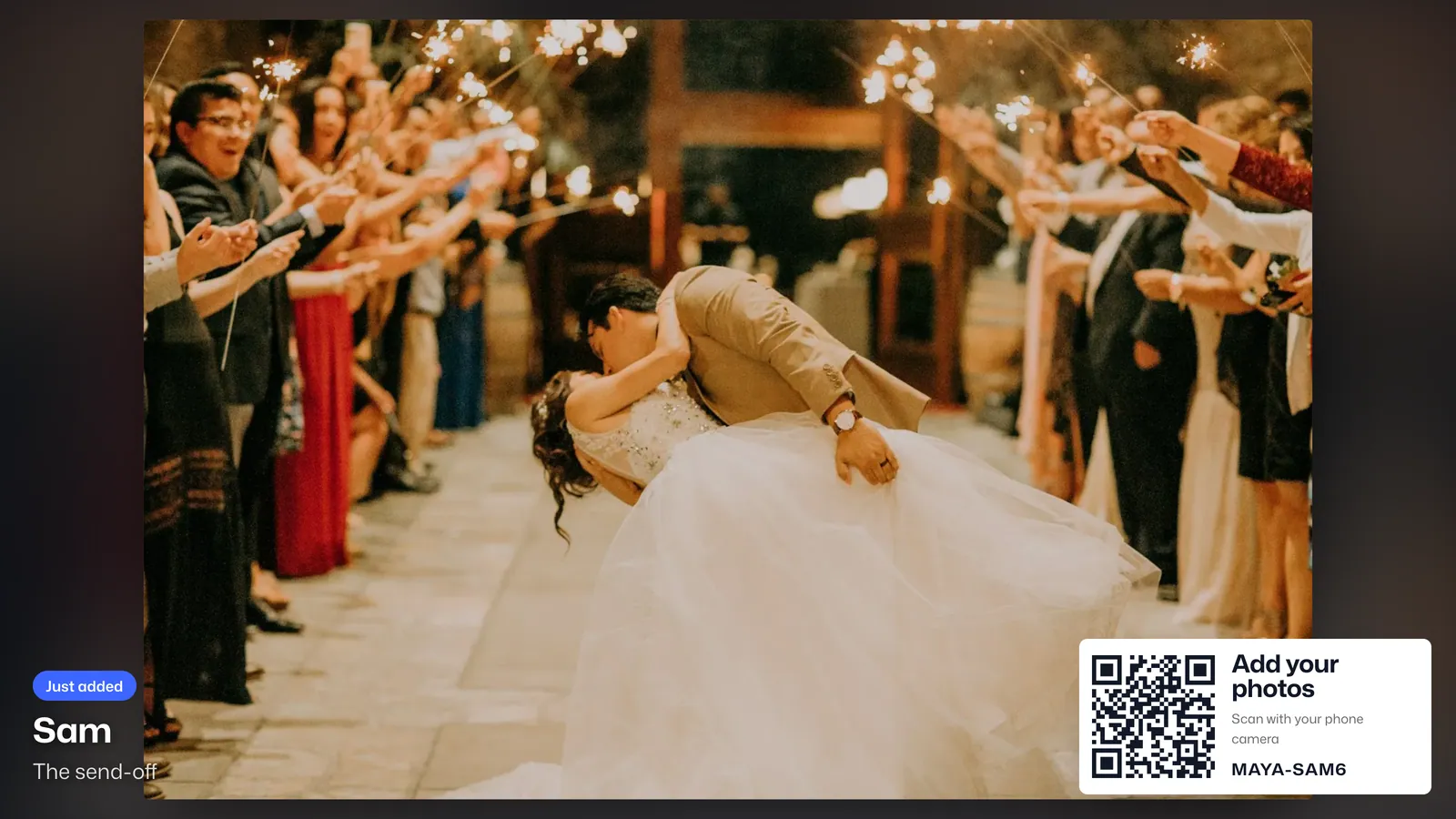
Open the big screen link on a TV or projector. New photos, clips and guestbook notes play as guests add them, all night long.
Free for up to 5 guests. Paid plans from $28 per event, paid once.
How it works
- 1
Open the link on the screen
Any screen with a browser works: a smart TV, a laptop on a projector, the venue's display. There is no sign-in.
- 2
Guests add photos
New shots play first, marked Just added, with the name of the guest who took them.
- 3
The room joins in
A QR code in the corner lets anyone in the room join and see their own photo on screen moments later.
Set it up your way
One at a time, or a mosaic
Show one photo at a time, or a mosaic of the album that keeps changing.
Your pace
Choose how long each photo stays on screen.
Notes in between
Guestbook notes play between the photos. Turn them off if you prefer.
Names on or off
Show who took each photo, or keep the screen to the photos.
Clips play through
Videos play to the end before the next photo comes up.
A link you control
The screen link opens without signing in, so keep it off group chats. If it gets out, make a new one and the old one stops.
Where hosts use it
- WeddingsEvery table, the reception screen and a guestbook for the two of you.
- Company eventsHoliday parties, offsites and launches, private to the organizers if you like.
- ConferencesAttendee photos for the lobby screens and the recap, from badge to closing talk.
- Family reunionsEvery generation, new photos and old ones, in one family album.
Questions
What do I need for the big screen?
A screen with a web browser: a smart TV, a laptop plugged into a TV or projector, or a tablet.
Does the screen need to sign in?
No. The big screen link opens without signing in.
Can I use more than one screen?
Yes. Open the same link on each screen.
Does it show videos?
Yes. Clips up to 60 seconds play on the screen as they come in.
Try it at your next event
Free for up to 5 guests. Paid plans from $28 per event, paid once.
More features
- QR code sharingGuests scan one code and start adding photos. No app, no sign-up.
- Digital guestbookNotes from your guests, each with one of their photos pinned on.
- Guest videosClips up to 60 seconds from any phone, playable everywhere.
- Picks and commentsDouble-tap favorites, reply and react, and the best photos rise to the top.
- Full-size downloadsEvery photo and video as shot, plus the guestbook, in one zip.
- Private albumsOnly people with your code get in, and you decide who sees what.